
A resolved alert is an alert that has been addressed and resolved by a user. Usually, this means that based on your organization’s Standard Operating Procedures (SOP), or similar material, the issues that triggered the alert were adequately addressed and may now be ignored by the triaging algorithms.
Why It's Important
Resolving alerts helps you keep track of when and how issues were resolved. Logged alert resolutions can give you more context in future interactions with the patient and their provider.
How to Access
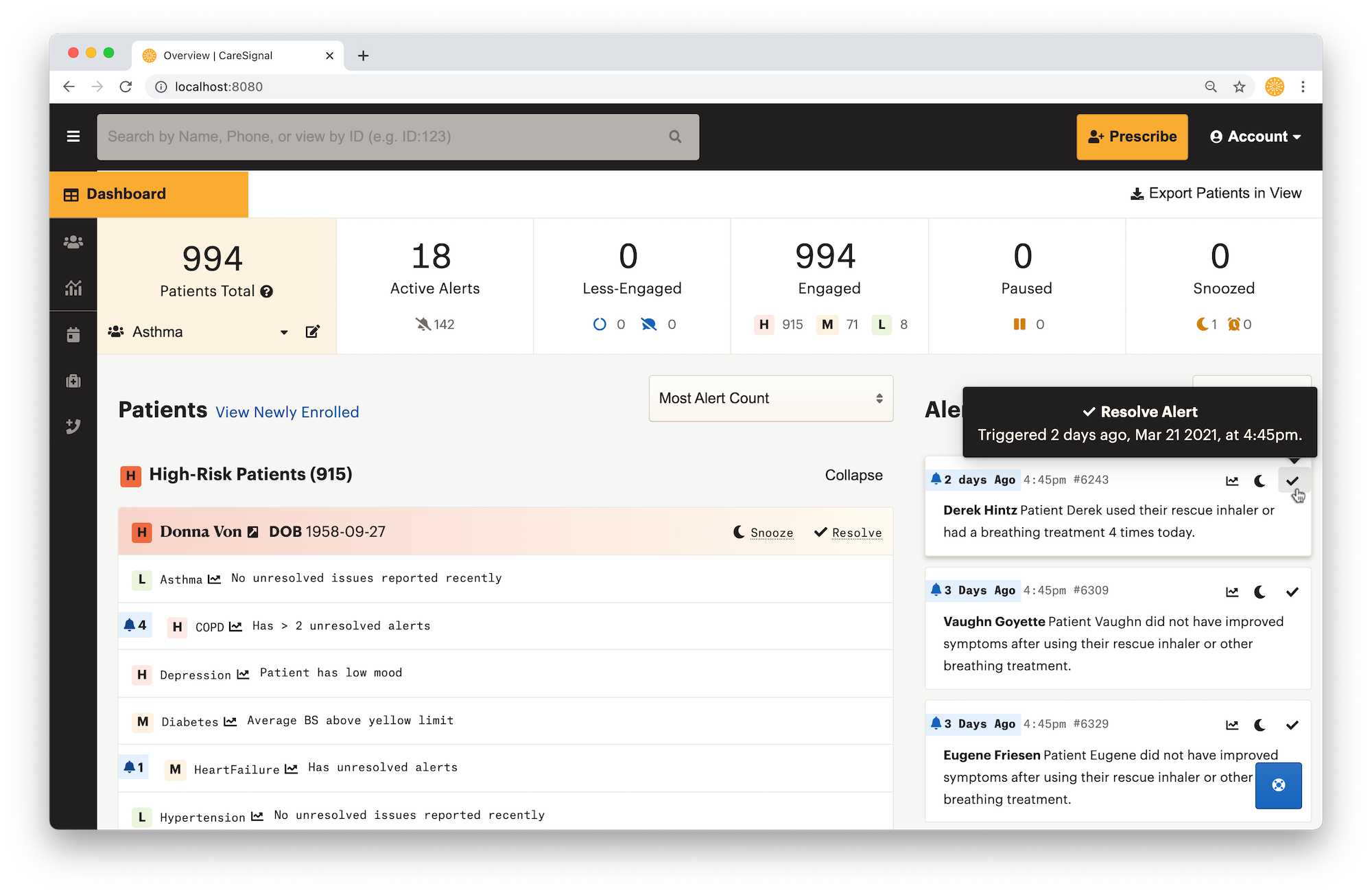
Single alerts may be resolved from the Dashboard by clicking “Resolve” on an alert
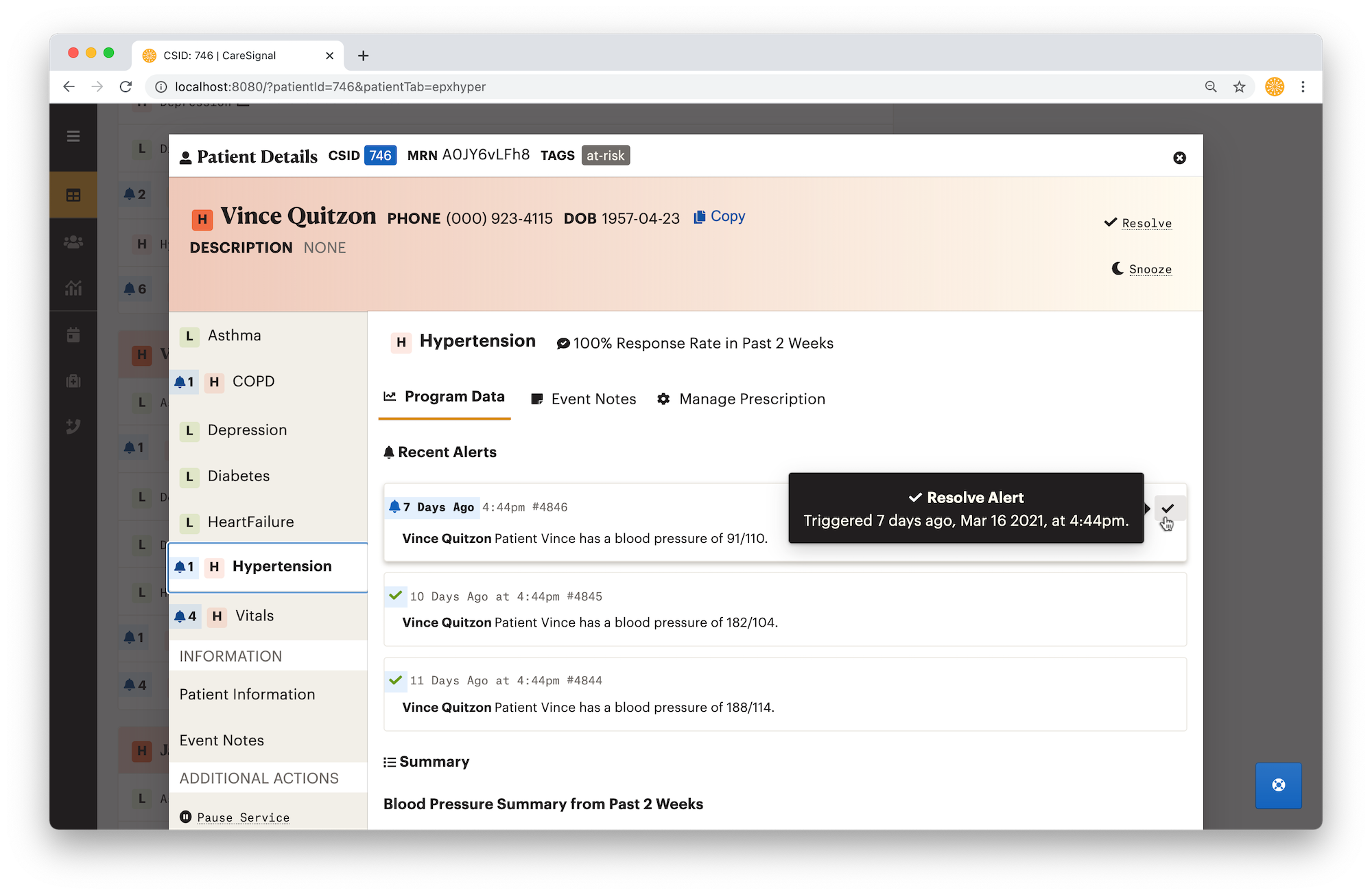
They may also be resolved from the Patient Details page
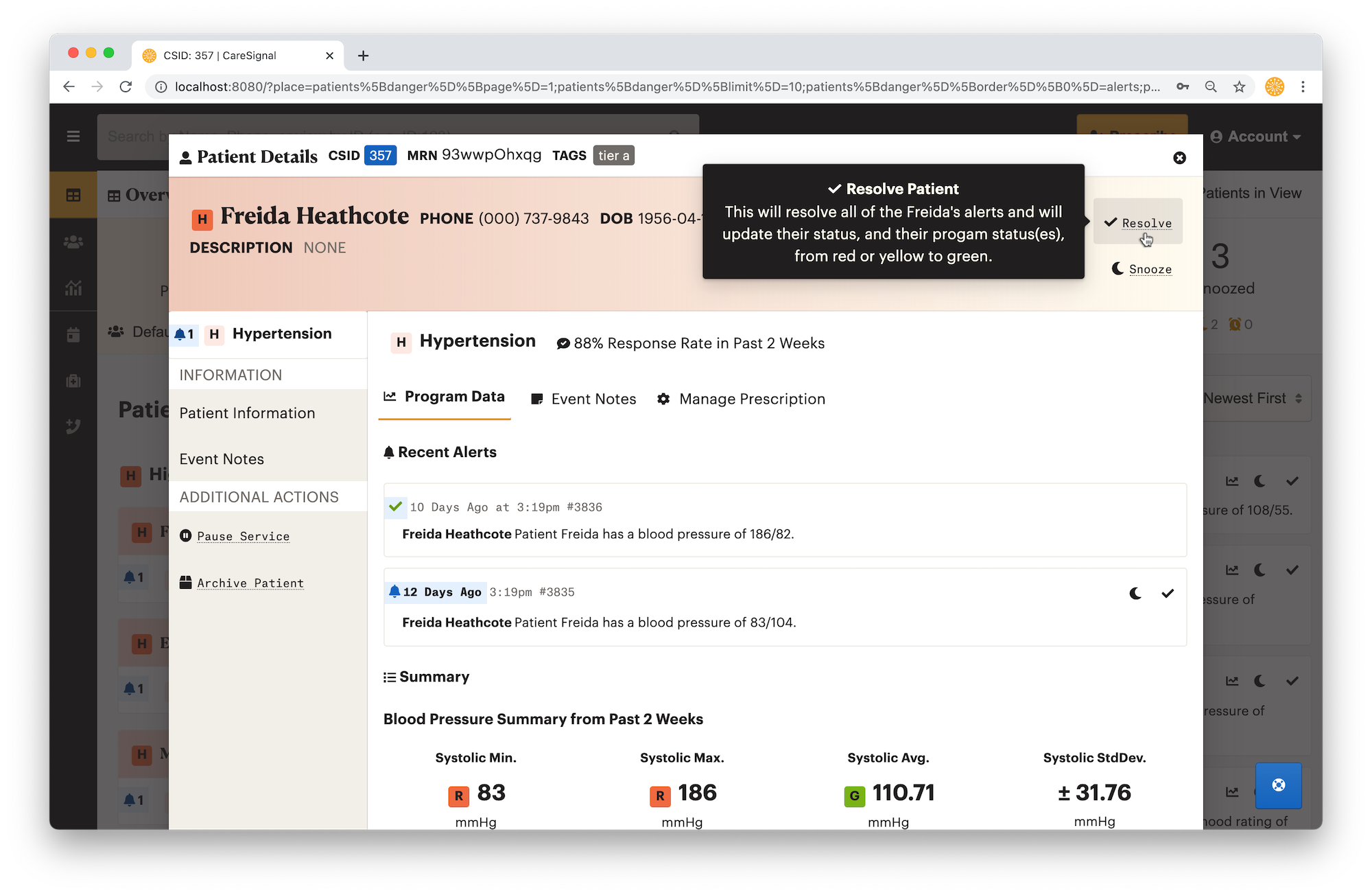
Multiple alerts may be resolved if you decided to click “Resolve Patient” or “Resolve” for a patient on their Patient Detail page.
How to Use
Resolving patients should only occur if you have confirmed that their issues are resolved based on your organization's SOP.
Resolving Alert
- Click Resolve on the Alert you would like to Resolve
- Choose Reason for Resolve
- Add Additional Note
An Event Note will be added when you Resolve an alert.