
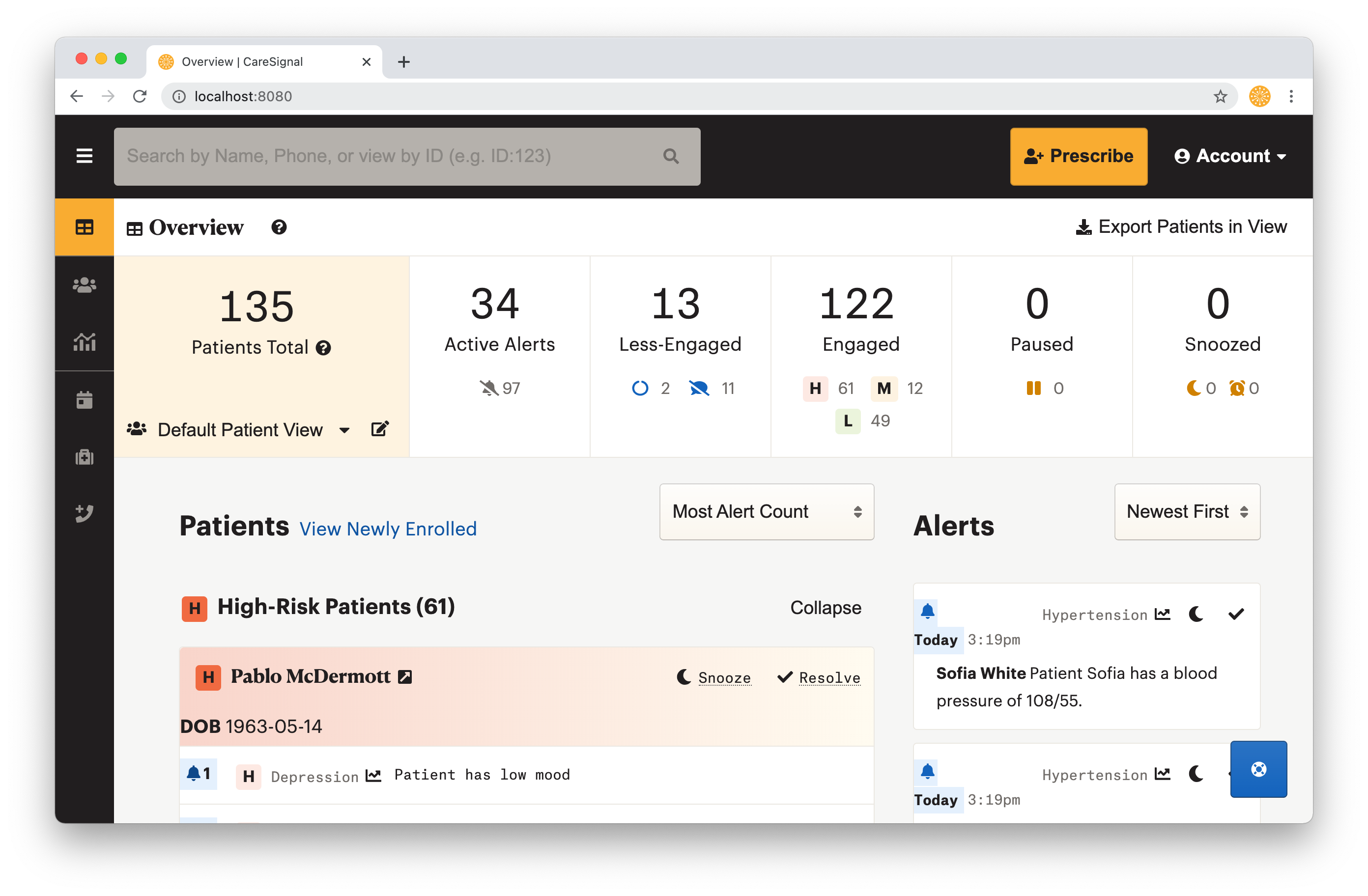
The Dashboard is a way for you to organize patients and see the alerts they may trigger. It is designed to help you quickly decide which patients need your program most. Usually, patients are categorized as “Engaged”. Engaged Patients are triaged based on their self-reported data into three categories: High-Risk, Medium-Risk, and Low-Risk.
Why it is Important
The Dashboard is where the majority of your work with CareSignal will happen. Each program has its own set of triaging algorithms that categorize patients as High-Risk, Medium-Risk, or Low-Risk. No matter which programs your patients have been enrolled in, this view helps you sort through which patients are at-risk and those that are not.
Many users treat the Dashboard like a task list. Resolving patients and alerts when issues have been completely addressed or snoozing patients and alerts when patients are unavailable or if users are waiting to follow-up with patients.
How to Access
After your account is set up and you’re logged in, the Dashboard is the first page you will see.
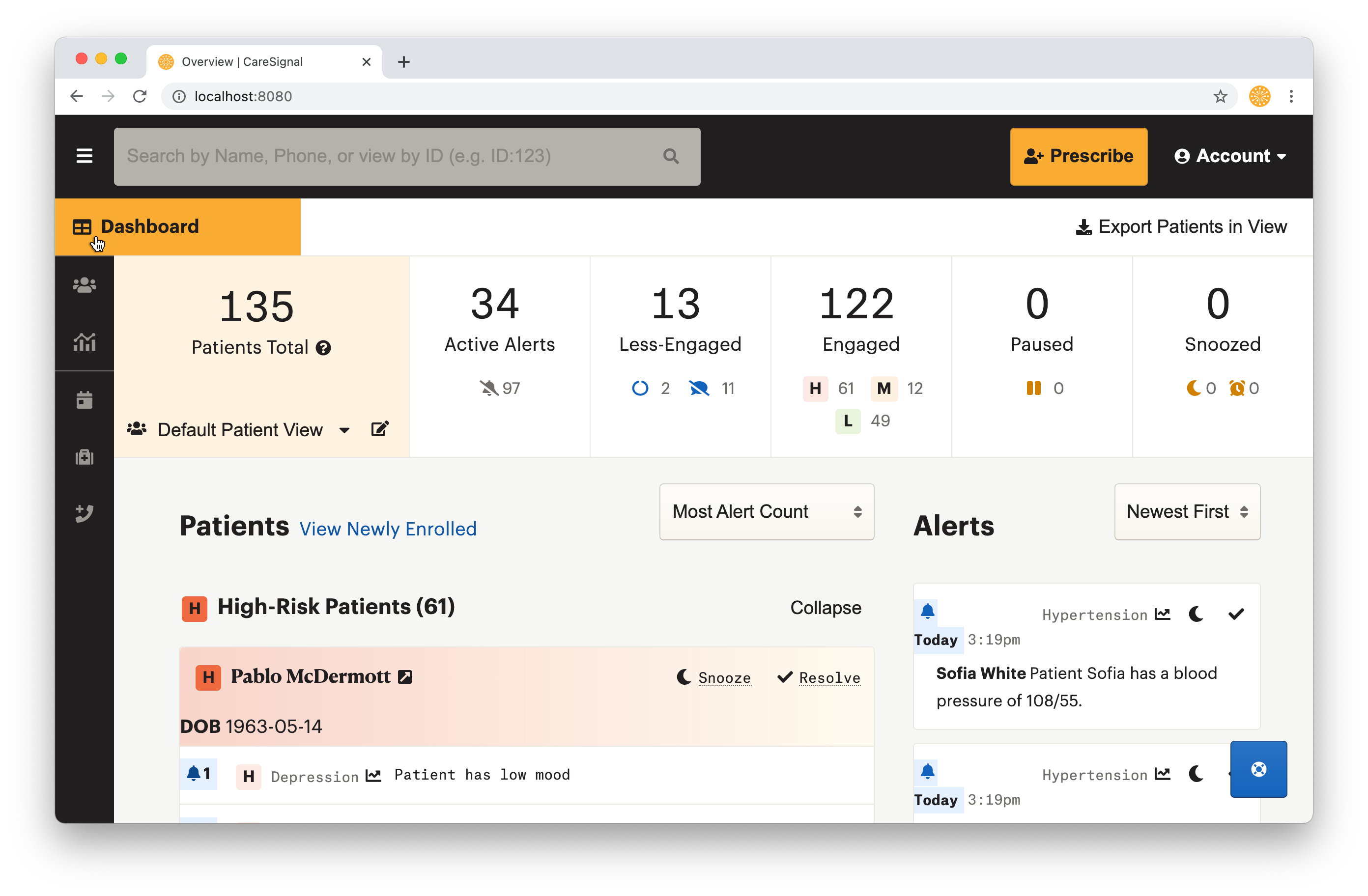
You may return to the Dashboard from any point by clicking on the side navigation.
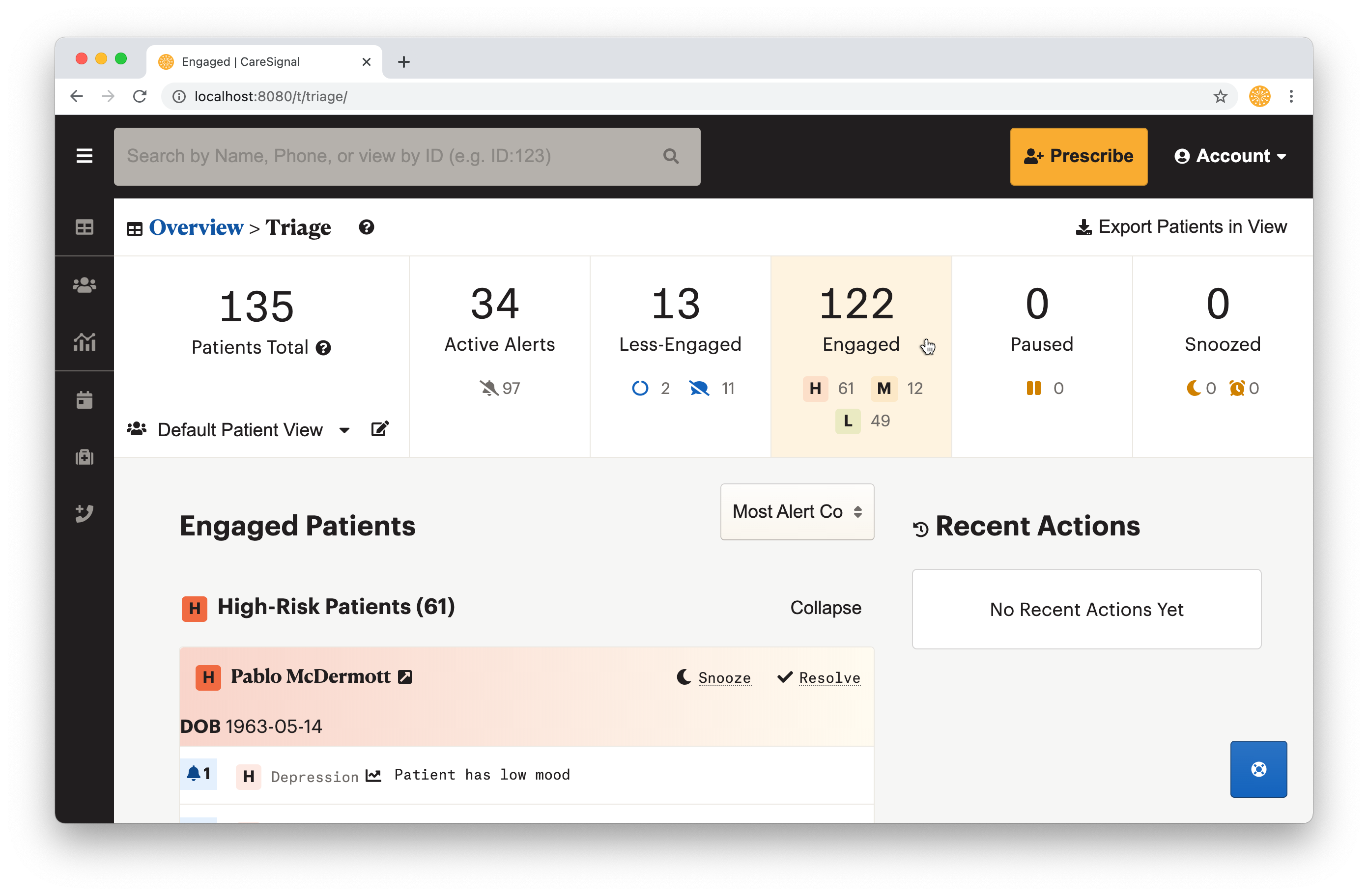
Different categories allow you to filter through the Patients and Alerts you want to review. Click the Patients Total box to return to the Overview.
How to Use
Data displayed on the dashboard is based on your Patient Views. Patient Views allow you to group patients based on their Provider, Program, or Tag so that you can focus on the right patients at the right time. In some cases, your system administrator may have given you access to the “All Patients” Patient View on the Dashboard, that Patient View shows data for every single patient associated with an account.
Tabs on the Dashboard allow you to view specific categories of Patients and Alerts. These are organized this way so you can address different needs based on your workflow. Alerts, Less-Engaged patients, Engaged patients, Paused patients, and Snoozed tasks.
Here is what each tab shows in a nutshell:
- Alerts - acute events based on self-reported patient data. e.g.) Blood sugar levels below 70
- Less-Engaged - patients who have responded to fewer than 30% of their messages and may need outreach, and patients who are inactive or opted-out
- Engaged - patients who are actively responding and are triaged into High-Risk, Medium-Risk, and Low-Risk
- Paused - patients whose CareSignal service is paused (usually due to patient hospitalization or vacation)
- Snoozed - patients and alerts that have been snoozed
Clicking on alerts or patients will open up a Patient Detail view that displays all of the data that CareSignal has collected for that patient.
On most tabs, the Dashboard shows the Recent Actions you’ve taken on the site.